Least privilege by design
The agent connects as a real WordPress user, never an admin-equivalent key, and gets only that account’s capabilities.
Free on WordPress.org, built on the Abilities API
Agent Abilities for MCP is a free plugin that lets your AI assistant draft posts, tidy media, update WooCommerce and fill in SEO fields, signed in as a WordPress user you pick rather than an admin key. Every ability starts off, and every call to its tools is checked and logged, which makes your site a governed WordPress MCP server.
Works with ChatGPT (through Developer Mode custom connectors, a beta on paid plans), Claude.ai, Claude Desktop, Manus, Claude Code and 4 more. How to connect
An illustrative run built from the plugin’s real tool names and Activity Log columns. The request, times and ids are made up. The agent only ever hears “Permission denied”; the reason stays in your log.
Every number here comes from WordPress.org, checked 19 October 2026. The quotes are copied word for word from public reviews.
Stumbled onto this gem thanks to ChatGPT. It made managing multiple websites easier! A time saver.
I’ve been using this plugin across several WordPress sites, and it’s worked well for me. Setup was straightforward, and handling WooCommerce products and orders with it has saved me a lot of time. Happy to give it five stars.
I was able to connect MCP server with claude via WordPress Application Password but was unable to connect it with chatgpt as it allows only OAuth authentication so I was trying to add OAuth authentication in my custom abilities plugin but I found this plugin which saved me with this extra work.
The plugin installs with every ability off. When you are ready, this is the whole setup, and from then on the agent works with that WordPress user’s permissions.
Open the Agent Abilities for MCP screen and enable only the abilities you want the agent to have. Everything starts off.
On the Connection tab, copy your site’s MCP endpoint.
In ChatGPT, Claude.ai, Claude Desktop or Manus, add it as a custom connector and approve once over OAuth. Code editors and command-line clients take the same endpoint, over OAuth or an Application Password.
ChatGPT connects through Developer Mode custom connectors, a beta on ChatGPT’s paid plans. The Gemini app is not supported yet.
OAuth or an Application Password? How connecting works. Requires WordPress 6.9+ and PHP 7.4+. Free on WordPress.org, no paid tier, no API key to buy, no usage limits.
These 6 guarantees hold on every connection and every call to its tools, not just the first one.
The agent connects as a real WordPress user, never an admin-equivalent key, and gets only that account’s capabilities.
Nothing this plugin serves is exposed until you enable it, and an update never switches on a tool it serves.
A connection only sees the plugin’s own tools that its user can call, and every call re-checks that capability before it runs.
Every call to the tools it serves is logged in your own database, denials included with the reason why, identifiers only and never free-text content. Search it, filter it and export it.
No arbitrary option or meta access, and no code execution. Deletes go to Trash where supported, and the last administrator can never be removed.
The plugin contacts no AI provider and sends no telemetry. Your AI client connects in, and no site content goes out on its own.
Discovery and execution are gated separately, so an agent never gets more reach than the user you bound it to.
The agent signs in as a real WordPress account you pick, never an admin key.
The plugin’s own tools are listed only to users allowed to run them. Bridged tools whose own check needs an item id list for anyone who can edit posts, and the source plugin decides each call.
The plugin checks that user’s capability again before any ability runs.
Every call to its tools lands in a searchable log on your own site, and a refusal records why.
No arbitrary option access and no code execution. Deletes go to Trash where supported.
Curated WordPress actions, exposed to the agent as MCP tools: drafts and edits, terms and media, menus and blocks, SEO fields and store data. Each one stays off until you switch it on, so nothing runs that you did not choose.
Reads, plus guarded writes. Deletes go to Trash where WordPress supports it.
Each set appears only while its host plugin is active, and stays off until you enable it.
WooCommerce and ACF can reach real personal data, so they sit behind a clear admin notice before you turn them on.
Your other active plugins can register their own WordPress abilities. This plugin brings them in as governed MCP tools, each one off until you switch it on. They come in through the WordPress Abilities API, and sit on top of the 179 in the catalog, off until you choose it.
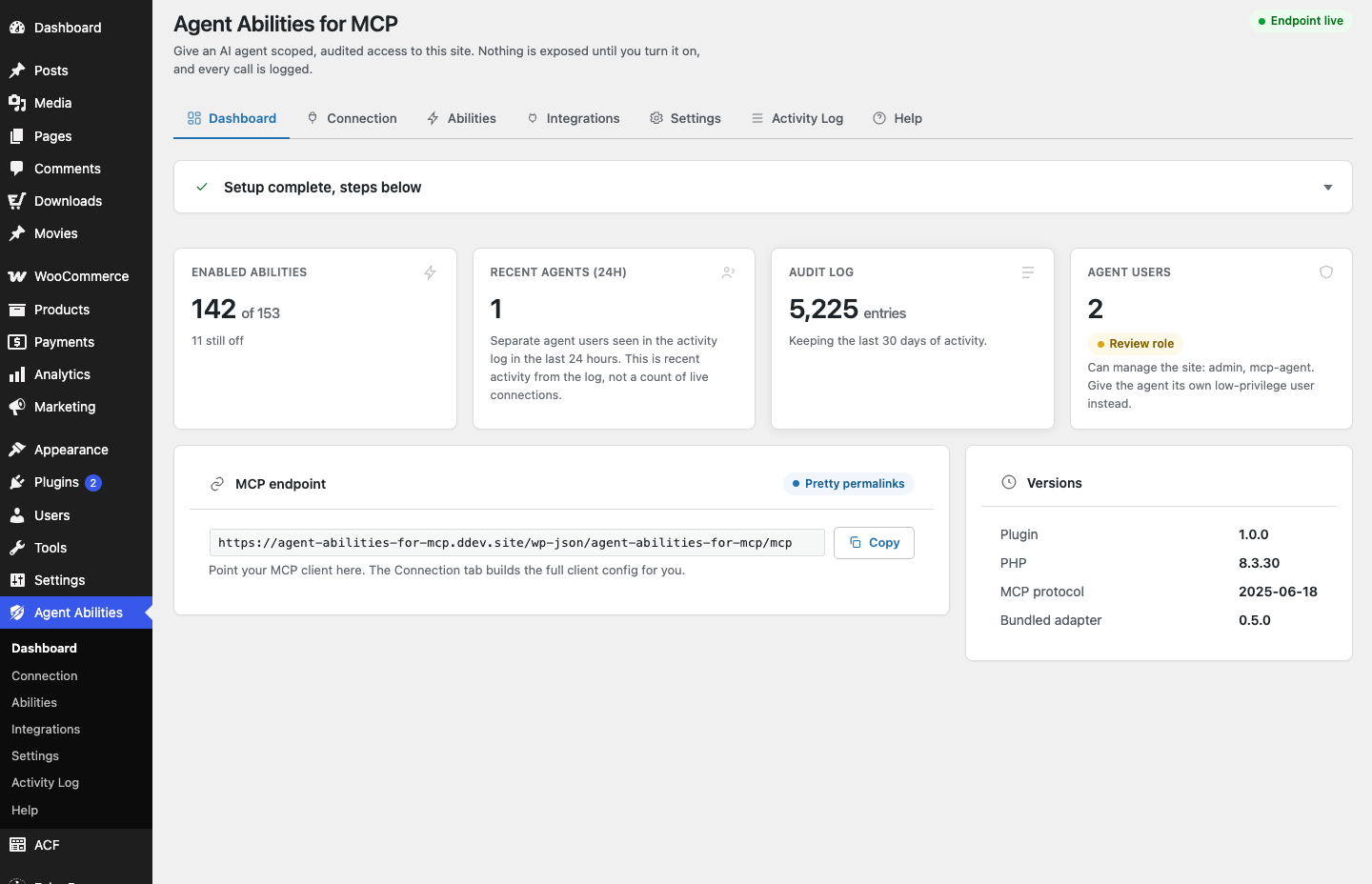
See how bridging worksNo external dashboard, no account with us. The plugin lives in wp-admin: your endpoint, the abilities you enabled, the agent users, and the audit log, all in your own database.
Several WordPress MCP plugins now start switched off, check permissions on each call and keep a log. What still sets this one apart is the combination: the agent uses a WordPress account rather than a key the plugin issues, no vendor service sits in the chain, and there is no paid tier. Our roundup orders the field by active installs, which puts us last, and each head-to-head says where the other plugin wins.
The best WordPress MCP servers, by jobAll comparisonsSide by side table
The ones people ask first. The full FAQ lives in the docs.
Yes, as long as the connection is scoped, and scoping is what Agent Abilities for MCP is built around. The agent connects as a real WordPress user and takes that account’s capabilities, so approve the connection while logged in as the account you want the agent to be. Point it at a least-privilege user and it can do no more than that user can do. Every ability stays off until you enable it. Every call to the tools this plugin serves is written to the audit log, denials included. Tools that another plugin publishes straight to the default server of the MCP Adapter are outside these controls, and a Settings switch controls that server.
The agent can only do what the WordPress user it connected as can do. Agent Abilities for MCP re-checks that capability before every call. Deletes go to Trash where WordPress supports it, so they can be restored. The last administrator can never be removed, no matter what the agent asks. Anything the agent is not allowed to do is refused. The refusal is written to the audit log too.
Yes. Turn on Force draft on create in Settings. Anything the agent creates, and any request to publish, is saved as a draft instead. Edits to a post that is already published still go live, so if you want every change reviewed, connect the agent as a Contributor, who cannot edit published posts at all. The Needs review card on the Dashboard lists those drafts so you can preview, publish or discard them.
Only if you connect it as an administrator. The agent takes the capabilities of the account it connects as. Over OAuth that is whichever account approves the connection in the browser, so log in as the dedicated low-privilege user the plugin creates before you approve, and the agent can only do what that user can do. An Application Password works the same way: generate it on that user rather than on your own admin account. Each ability re-checks the capability before it runs.
Only if you deliberately allow it twice. Nine WooCommerce abilities in Agent Abilities for MCP move money or grant authority. They cover refunds, order status, order updates, customer updates, payment gateway settings, coupon creation and updates, and tax rate creation and updates. Turning one of those on is not enough by itself. It stays locked until you also switch on a separate high-risk control in Settings. That switch is written to the audit log like any other change. Everything else in the catalog needs only its own toggle.
No. The plugin connects to no AI provider and sends no telemetry. Your own AI client connects in and calls the abilities you enabled. If you turn on alert emails, they go through WordPress’s own mail to the address you choose and never include call content, a user name or an IP address.
Yes. Agent Abilities for MCP works with ChatGPT through Developer Mode. Turn Developer Mode on in ChatGPT settings, then add your site as a custom connector. Approve it once over OAuth. ChatGPT then calls the abilities you enabled as the scoped user you pick. Custom connectors are a beta feature on ChatGPT’s paid plans. Claude.ai, Claude Desktop, and Manus connect the same way, through a custom connector, and Claude Desktop shares the one Claude.ai uses rather than running a bridge on your machine. Claude Code, Cursor, VS Code, Windsurf, and Gemini CLI connect as well.
Install Agent Abilities for MCP, then open the first-run Quick Connect wizard on the plugin page. The wizard puts the whole first connection on one screen. For a hosted client like ChatGPT or Claude, turn on OAuth and copy the site endpoint. For a client that runs on your own machine, create a dedicated agent user and generate an application password. Either way, finish by switching on content reads. Nothing this plugin serves is exposed until you enable it. The wizard never turns on a delete.
Yes. Install the plugin on each site and add each site’s endpoint to your AI client as its own connector. The agent can then work across your sites from one place, and each site keeps its own user, its own allowed tools and its own audit log.
It is a WordPress site that speaks the Model Context Protocol, so an AI client can discover and call the site’s abilities as tools. Agent Abilities for MCP turns any WordPress site into one, built on the WordPress 6.9 Abilities API and the official MCP Adapter, and wraps every ability in a governance layer: off by default, capped at the capabilities of the WordPress account the agent connects as, and audited on every call.
Claude shows 'Structured content does not match the tool's output schema' on WooCommerce orders? Update to 1.8.1, then Refresh tools list. Cause and fix.
Read moreTurn on Agent Abilities for MCP alerts to hear about new apps, high-risk runs, denied-call bursts and switch changes. Setup, limits and mail caveats.
Read moreUse the Activity Log in Agent Abilities for MCP to find what an AI agent did: filter by connection, tool and date, read denied rows, and export a CSV.
Read moreGroup the error rows in your Activity Log by tool and note, tell this plugin's errors from other plugins' and crashes, and see what to check next.
Summarize a normal week from your Activity Log so you know what to expect before choosing which 1.9.0 alerts to turn on.
Read the denied rows in your Activity Log, sort front-door refusals from tool denials, then open the admin filters to see the reason and the IP.
Nothing runs until you choose it, and every call to its tools shows up in your Activity Log.
Free on WordPress.org, with no paid tier waiting behind it.