Claude Desktop Works today
Desktop app. Connects over OAuth or an Application Password as a scoped user you pick.
Setup guideConnect your AI client
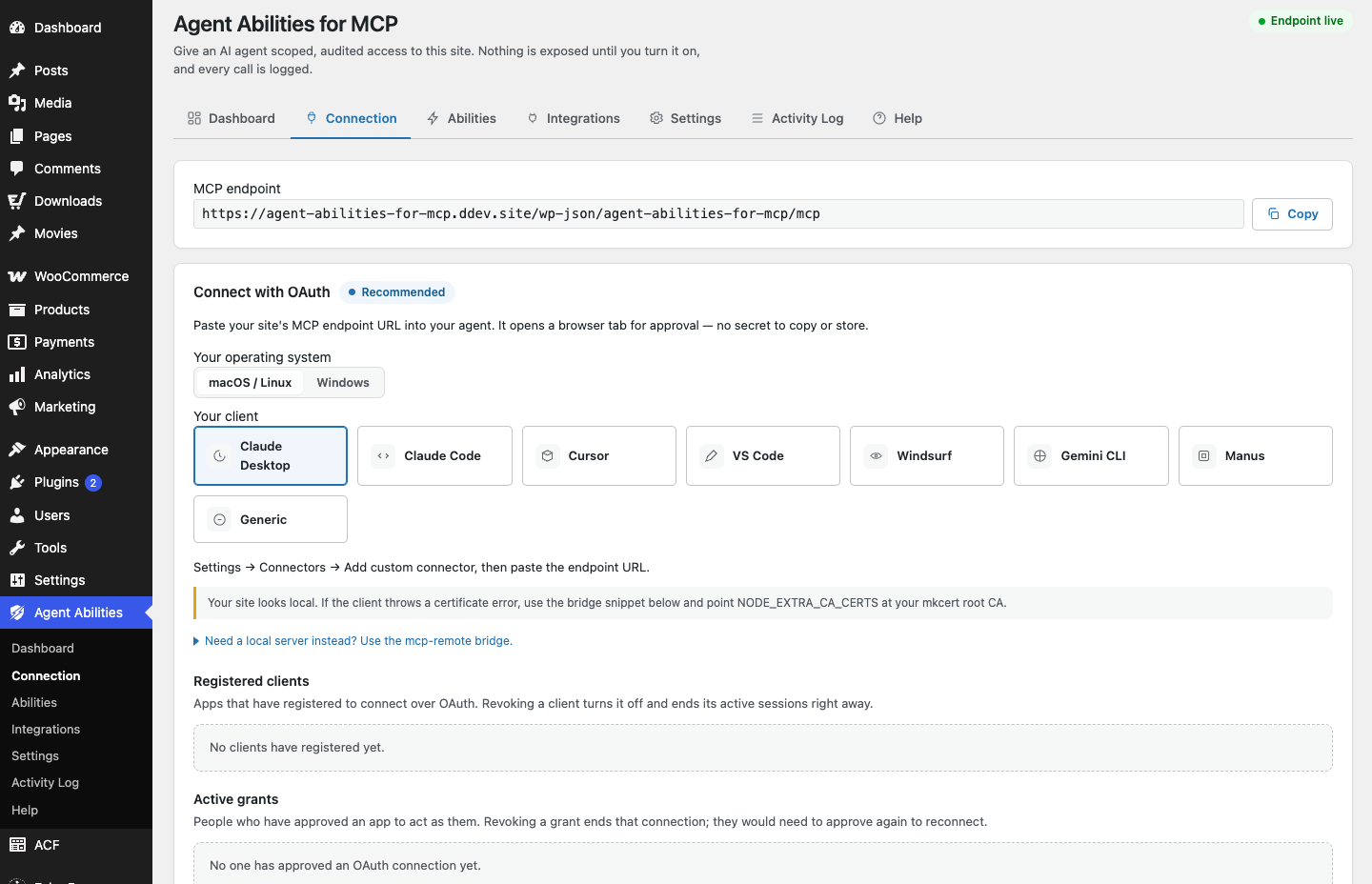
Claude Desktop, Claude Code, Cursor, VS Code, Windsurf, and Gemini CLI work now, directly or through the open-source bridge. Anything that speaks the Model Context Protocol can point at the endpoint your plugin gives you and connect as a scoped user.
Six connect today, some directly and some through the open-source bridge that runs on your own machine. Two more are planned as their apps add support. Each working client has its own short setup guide.
Desktop app. Connects over OAuth or an Application Password as a scoped user you pick.
Setup guideCLI and IDE. Connects over OAuth or an Application Password as a scoped user you pick.
Setup guideCode editor. Connects over OAuth or an Application Password as a scoped user you pick.
Setup guideCode editor. Connects over OAuth or an Application Password as a scoped user you pick.
Setup guideCode editor. Connects over OAuth or an Application Password as a scoped user you pick.
Setup guideCommand line. Connects over OAuth or an Application Password as a scoped user you pick.
Setup guideWants a streamable HTTP connector the adapter does not serve natively yet.
Same streamable HTTP requirement as the hosted ChatGPT app.
The named clients are the ones we have checked. The connection itself is standard MCP, so any client that speaks the protocol can point at the endpoint your plugin generates and connect. There are two ways in, and both stay least privilege.
Approve the agent once in the browser. No secret to store; the agent acts as your own account.
Point a dedicated low-privilege user at the endpoint. A guided screen builds the client config and checks the endpoint for you.
The bridge: Clients that cannot open a remote MCP connection use the open-source mcp-remote bridge, which runs on your own machine.
Requires WordPress 6.9+ and PHP 8.0+. Free on WordPress.org, no paid tier, no API key to buy, no usage limits.
Install the plugin, keep everything off, connect your client as a scoped user, and switch on one ability at a time. Your client connects in, the plugin never reaches out.
Zero outbound calls. No telemetry. Your data stays on your site.