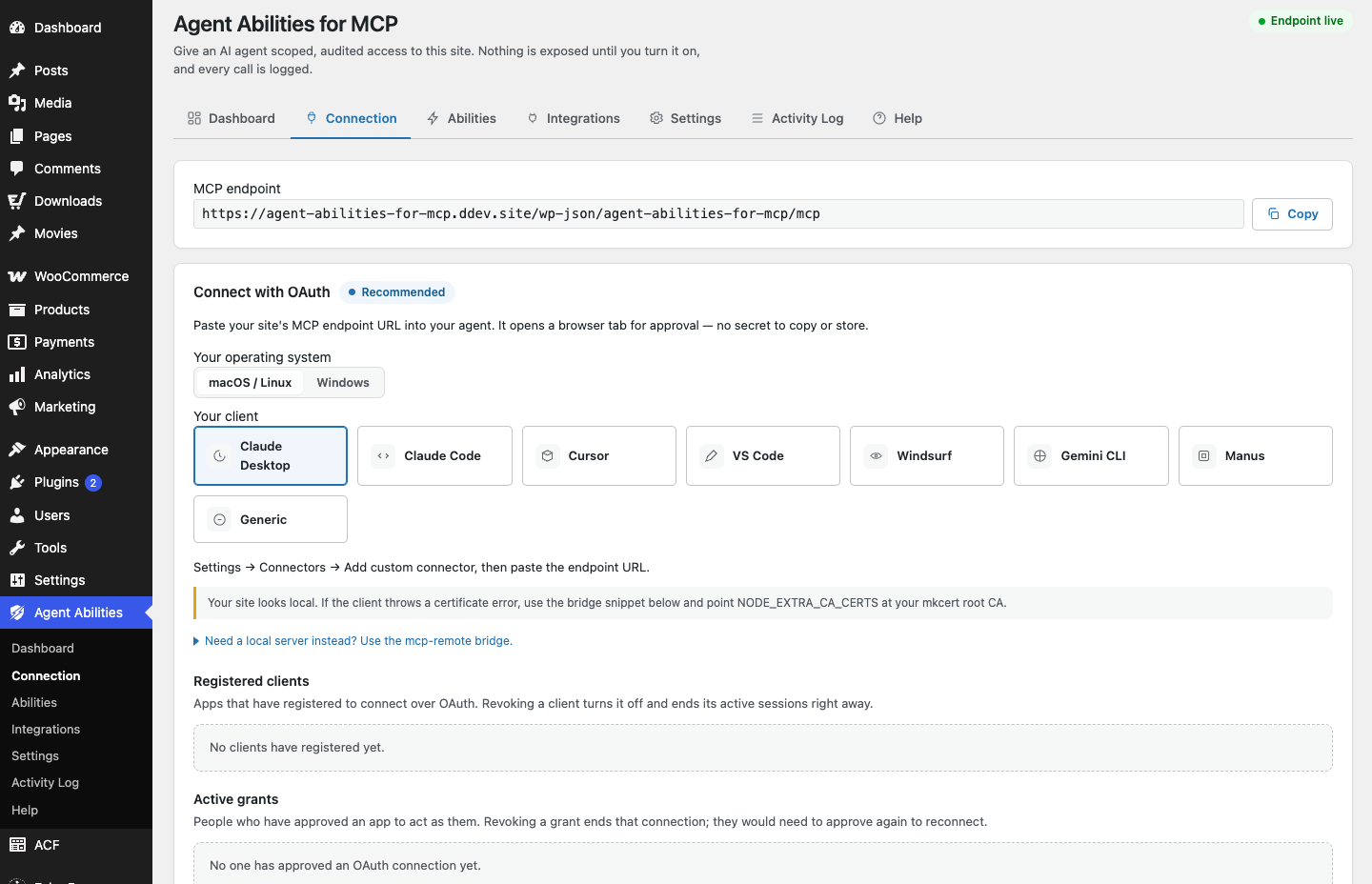
Once the plugin is installed, an agent still needs a way to prove who it is before it can call anything. Agent Abilities for MCP gives you two ways to do that: OAuth or an Application Password. Both end in the same place, which is the agent acting as a real, scoped WordPress user rather than an admin-equivalent key. The difference is in how the credential is granted and where it lives. Neither is a back door, and neither hands the agent more than the user behind it can already do.
The shared idea: least privilege
Before the two options, the thing they have in common. Whichever you pick, the agent connects as a specific WordPress user, and that user’s capabilities are the ceiling. The agent cannot see a tool that user is not allowed to run, and every call re-checks the capability before it executes. So the first real decision is not OAuth versus Application Password. It is which user you point the agent at. Point it at a dedicated, low-privilege account and you have already done most of the work of keeping the connection safe.
OAuth: approve once in the browser
OAuth is the option that feels closest to signing in to an app. You approve the agent once in the browser, and from then on it acts as your own account. There is no long-lived secret for you to copy into a config file and worry about later. The approval happens through a flow you can see, and it is bound to your session.
OAuth suits you when the agent is genuinely acting on your behalf and you want the convenience of a browser approval rather than managing a stored token by hand. It keeps the credential handling out of your text editor, which is one fewer secret sitting in a file.
Application Password: a dedicated low-privilege user
The Application Password route points a dedicated user at the endpoint. You create an account with only the capabilities the agent needs, generate an Application Password for it, and give the client that. The plugin includes a guided screen that builds the client configuration for you and checks the endpoint, so you are not assembling the connection details by guesswork.
This is the option to reach for when you want a clear separation between “the agent’s account” and “your account.” The agent is not you. It is a named, limited user you can inspect, restrict, and revoke on its own without touching your own login. If you like being able to look at a user in the admin and know exactly what the agent can do, this is the more literal way to get there.
How to choose
A simple way to decide:
- Reach for OAuth when the agent is acting as you, you want a browser approval instead of a stored secret, and the convenience of connecting as your own account is worth it.
- Reach for an Application Password when you want the agent to be its own dedicated, low-privilege user that you can audit and revoke independently of your own account.
Both are legitimate. Neither weakens the governance model, because the governance model does not rely on the credential type. It relies on the user’s capabilities and the per-call check, and both options honor that.
What connects today
The client on the other end matters for how you connect. Claude Desktop, Claude Code, Cursor, VS Code, Windsurf, and the Gemini CLI all work today. Some open a remote MCP connection directly. Others reach the server through the open-source mcp-remote bridge, which runs on your own machine, so the connection still terminates locally rather than through a third party. The hosted ChatGPT app and the Gemini app are not supported yet, because they expect a streamable HTTP connector the adapter does not serve natively at this stage.
After you connect
Whichever route you took, the same habit applies. Start narrow. Enable one ability, ideally a read-only one, and confirm it appears in the audit log when the agent uses it. The log records every call in your own database, refused attempts included, with the argument keys but not the values. That gives you a real record to check against before you widen access. Connecting the agent is the easy part. Deciding, ability by ability, what it is allowed to reach is the part worth taking slowly, and both connection methods are built to let you do exactly that.